
Sponsor an Iftar Campaign
Iftar is a time of unity and generosity during Ramadan, where communities come together to break their fast. Providing a simple way for donors to sponsor Iftar helps ensure that this blessed tradition continues every day of the month.
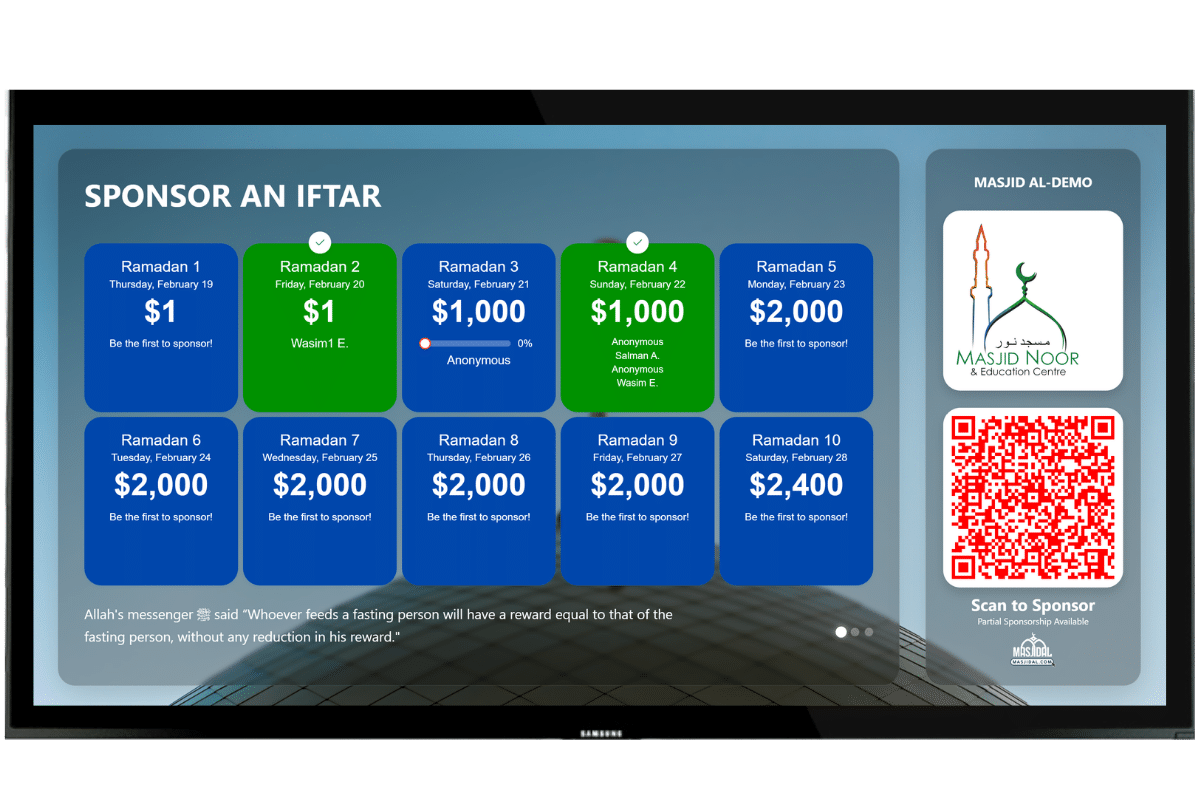
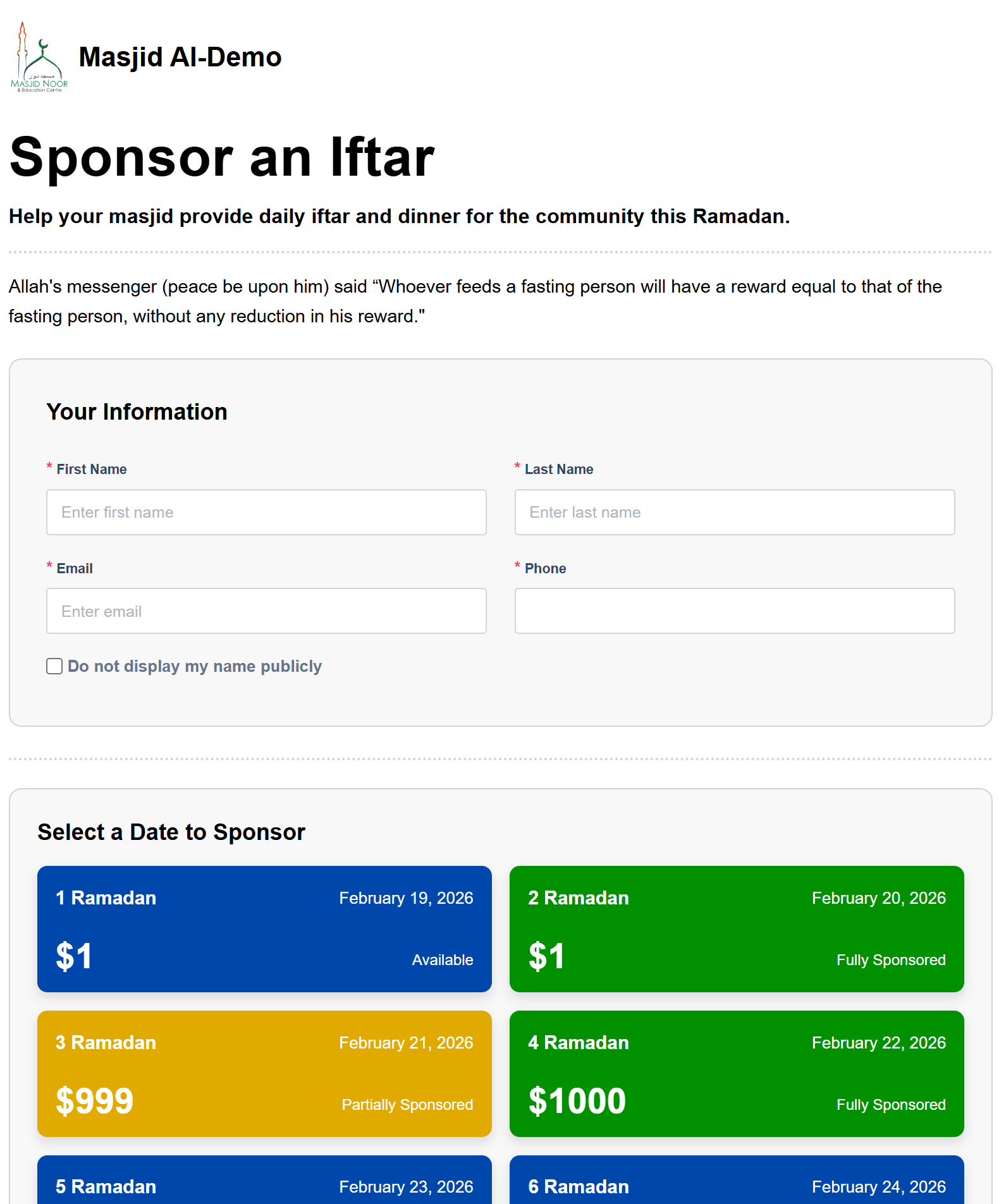
With the Iftar Sponsorship feature, Masjids can create a dedicated campaign that allows donors to sponsor specific days of Ramadan. Administrators can set the required amount for each day, mark certain days as unavailable, and track sponsorship status in real time. Once a day is sponsored, it is automatically updated, making it easy for the community to see which days are still available and contribute seamlessly.
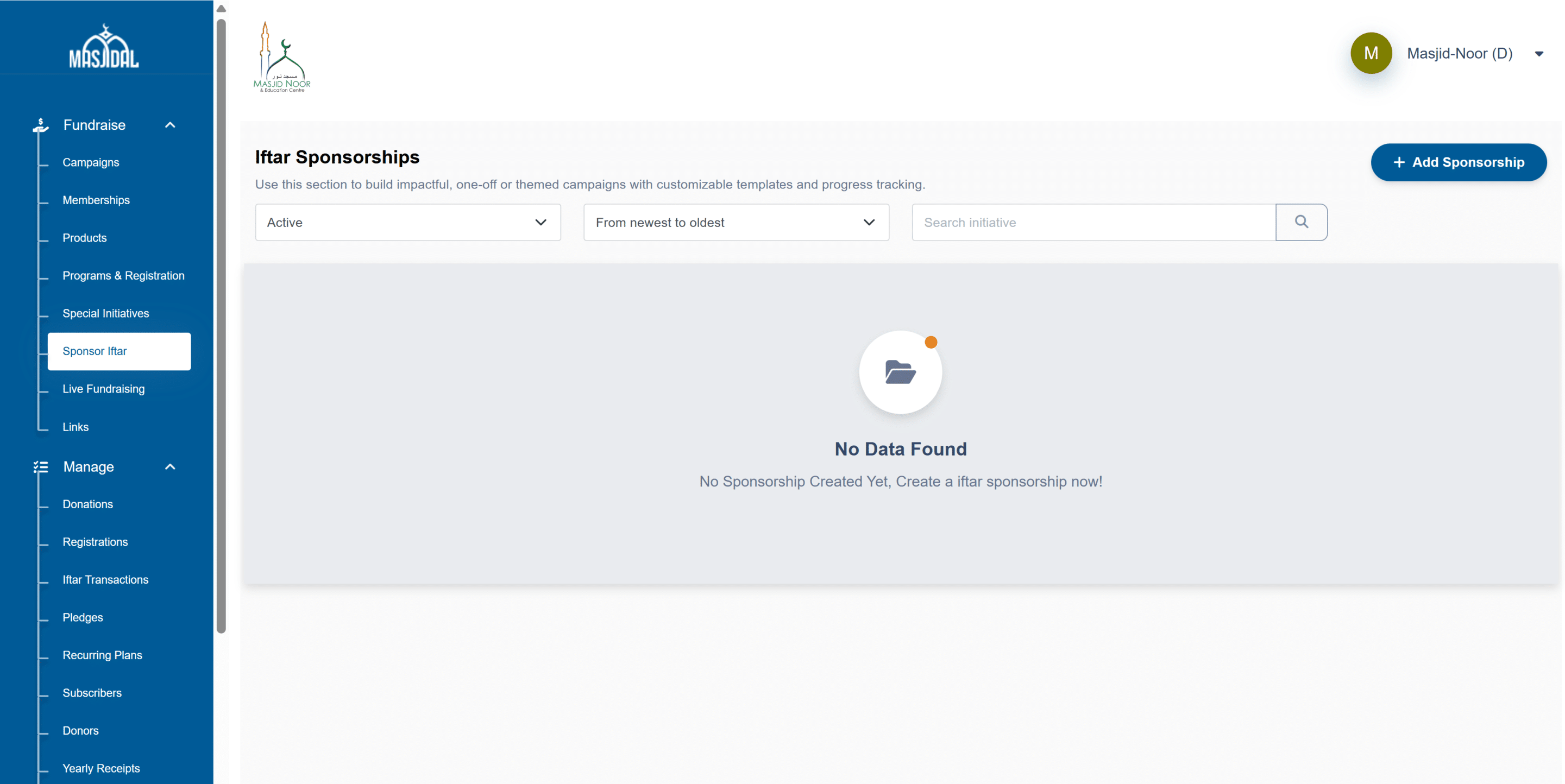
To create an Iftar Sponsorship campaign, login to your Masjidal account and then click on the Donation Portal link. Click on Sponsor Iftar in the left navigation bar under Fundraise.
Click on the Add Sponsorship button:
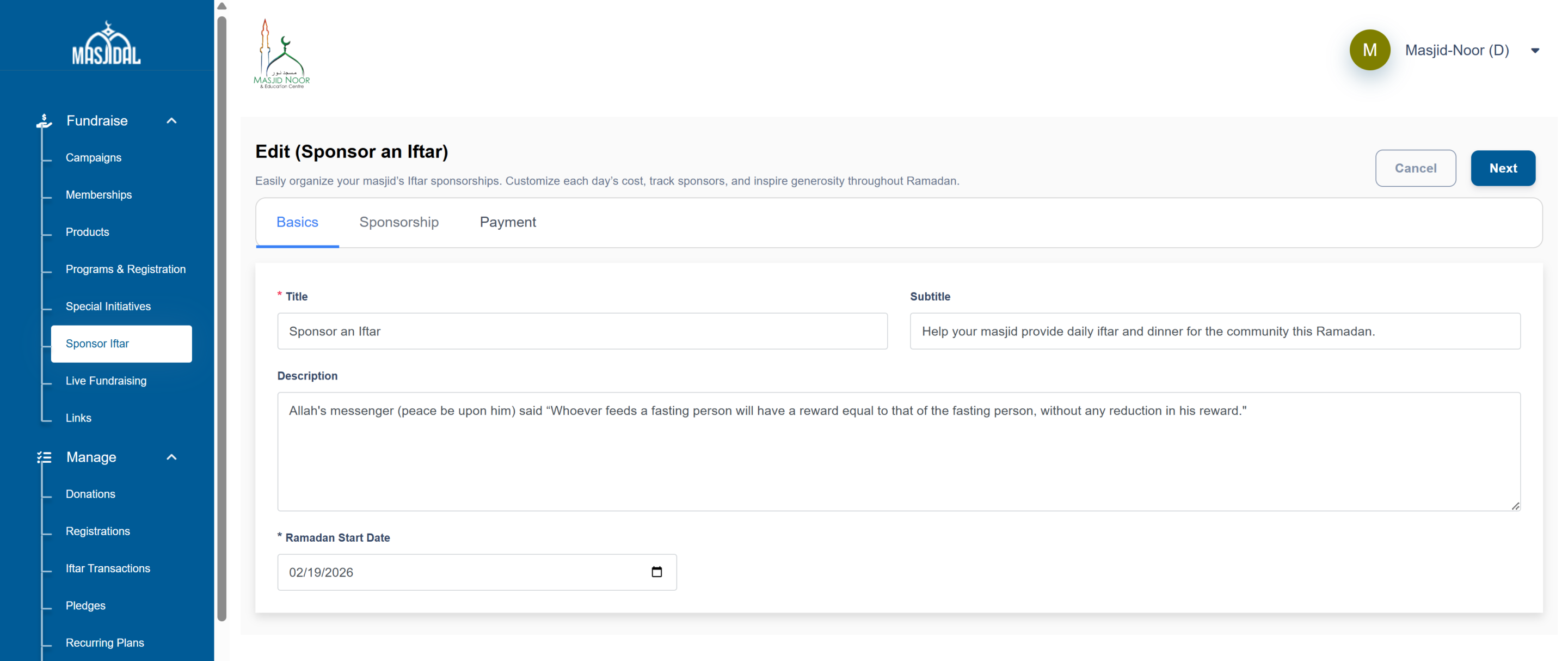
When setting up your Iftar Sponsorship campaign, you may use the recommended text below. These are suggestions, you are free to customize the wording to match your masjid’s voice and community.
Title – Sponsor an Iftar.
Subtitle – Help your masjid provide daily iftar and dinner for the community this Ramadan.
Description – Allah’s messenger (peace be upon him) said “Whoever feeds a fasting person will have a reward equal to that of the fasting person, without any reduction in his reward.”
Ramadan Start Date – Enter the first day of Ramadan.
Click next.
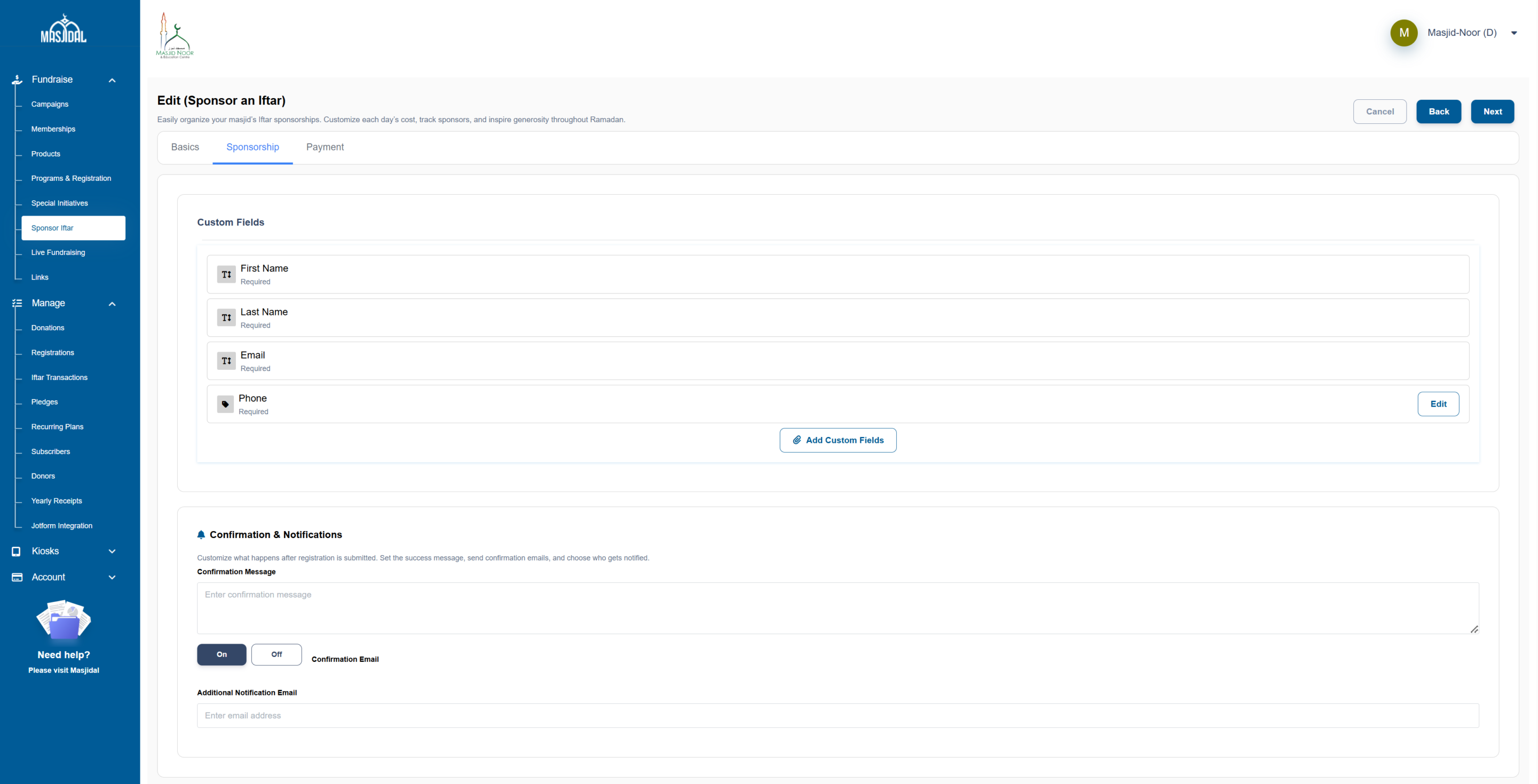
The default fields (First Name, Last Name and Email) are already included and required for every sponsorship. These fields are sufficient for most masjids.
You may add additional custom fields if needed (for example, “Phone”). However, we strongly recommend keeping the form simple and minimal to ensure a smooth and quick checkout experience for donors.
The fewer required fields you add, the easier it is for sponsors to complete their contribution.
Turn the confirmation “ON” for the donor to receive an automatic email.
You may also enter an Additional Notification Email to notify a board member, treasurer, or program lead each time a day is sponsored. This ensures your team stays informed in real time without requiring them to log into the dashboard.
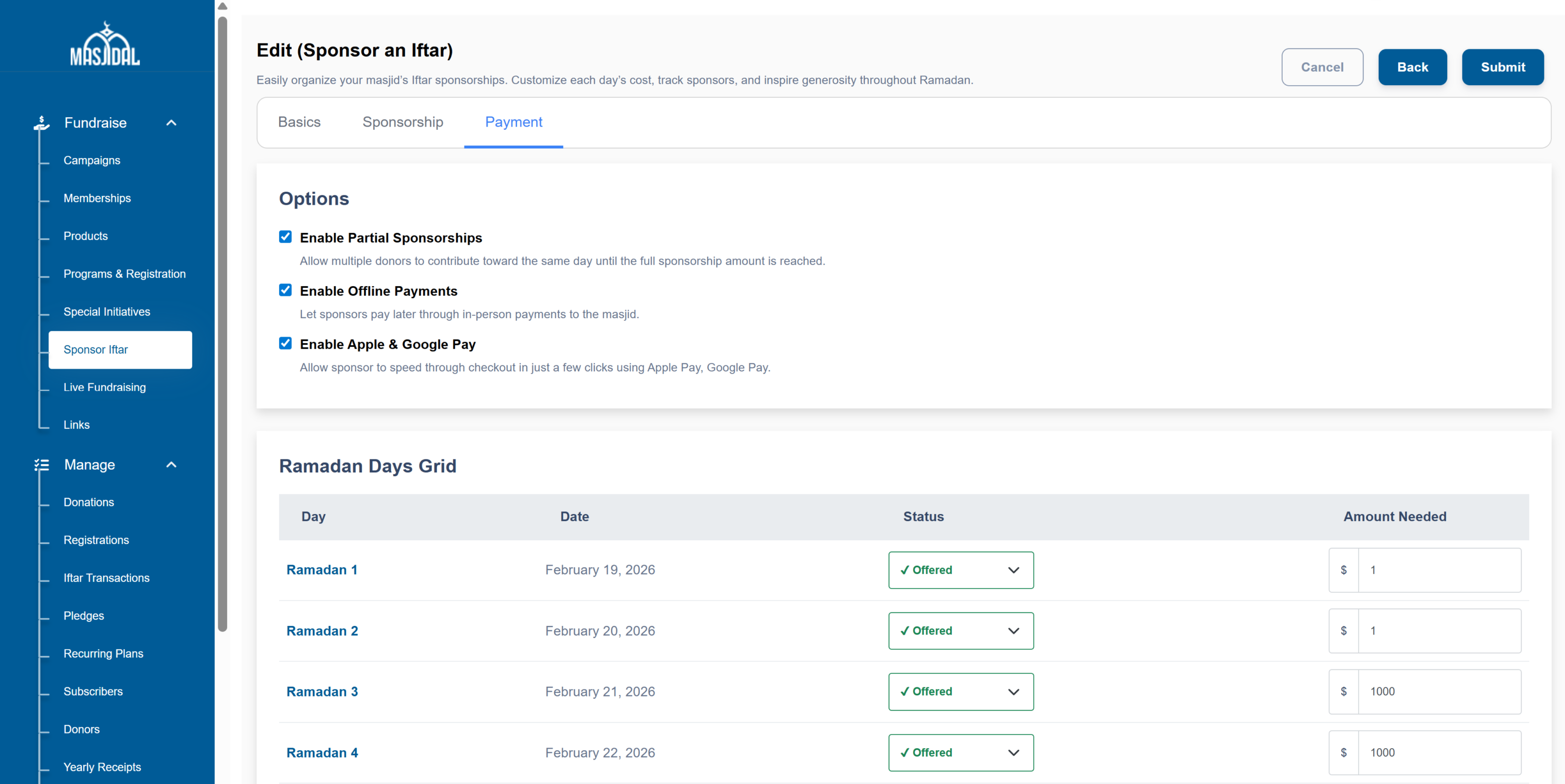
On the Payment tab, you can configure how sponsorships will work and set the amount for each day of Ramadan.
Enable Partial Sponsorships – Select this option if you would like multiple donors to contribute toward the same day. This allows sponsors to donate any amount until the full sponsorship total is reached.
Ramadan Days Grid
For each Ramadan date:
-
Enter the Amount Needed for that day.
-
If the day should be available for sponsorship, leave the status as Offered.
-
If the masjid is not offering sponsorship for a specific day, select Not Offered from the dropdown.
Be sure to review all dates and amounts before submitting to ensure your Ramadan sponsorship calendar is accurate.
Click Submit to Create the Iftar Sponsorship campaign.
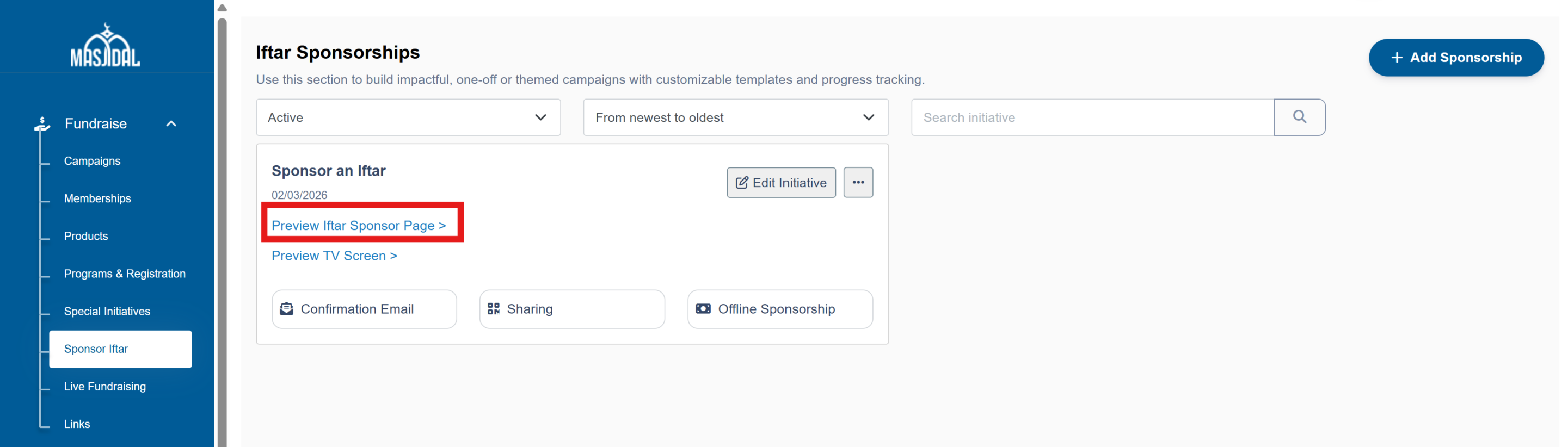
Now that the campaign is created, you can share the link on email campaigns, WhatsApp groups with community and on your Masjid website. Simply copy the link:
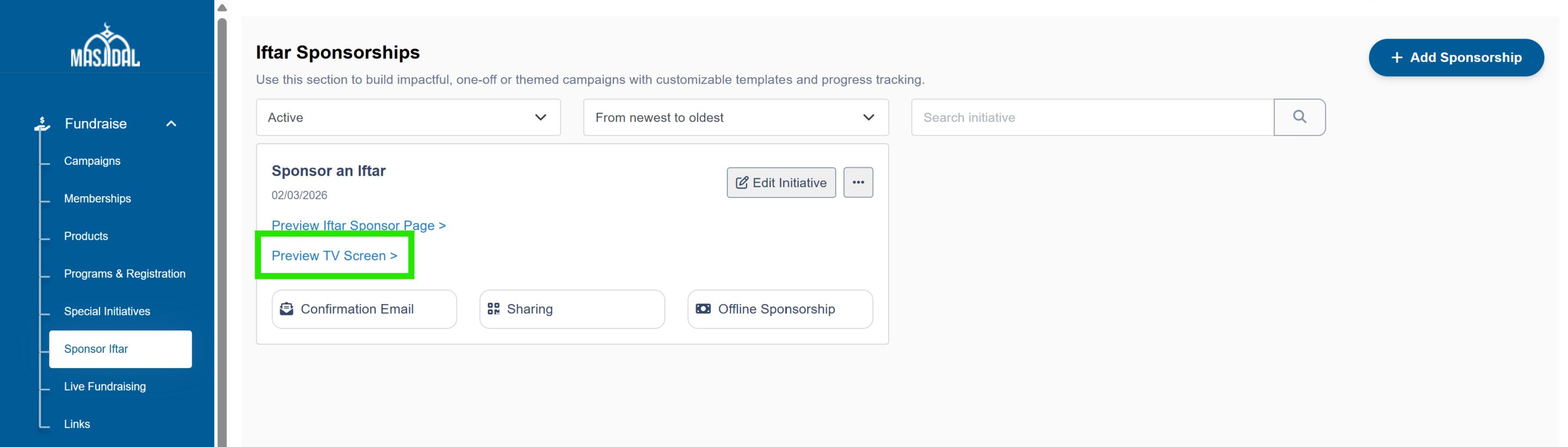
Copy the TV Screen link to add it to your Masjidal powered TV screen.s. Create new content, select the Website tile and paste this link. Please make the duration atleast 60 seconds since the screen is designed to auto-slide and display all 30 days of Ramadan.
Note: The Iftar Sponsorship feature is available only for masjids using Masjidal Donations (Ultimate Plan). If you are not currently on the Ultimate Plan, please contact the Masjidal team to upgrade and enable this feature.
