
Iqamah Change Notifications
When Iqamah time changes within 3 days of the current date, an automatic announcement message is generated by default. The message keeps everyone informed of the upcoming time changes.
The message can be displayed in the following ways.
Scrolling Notification (default)
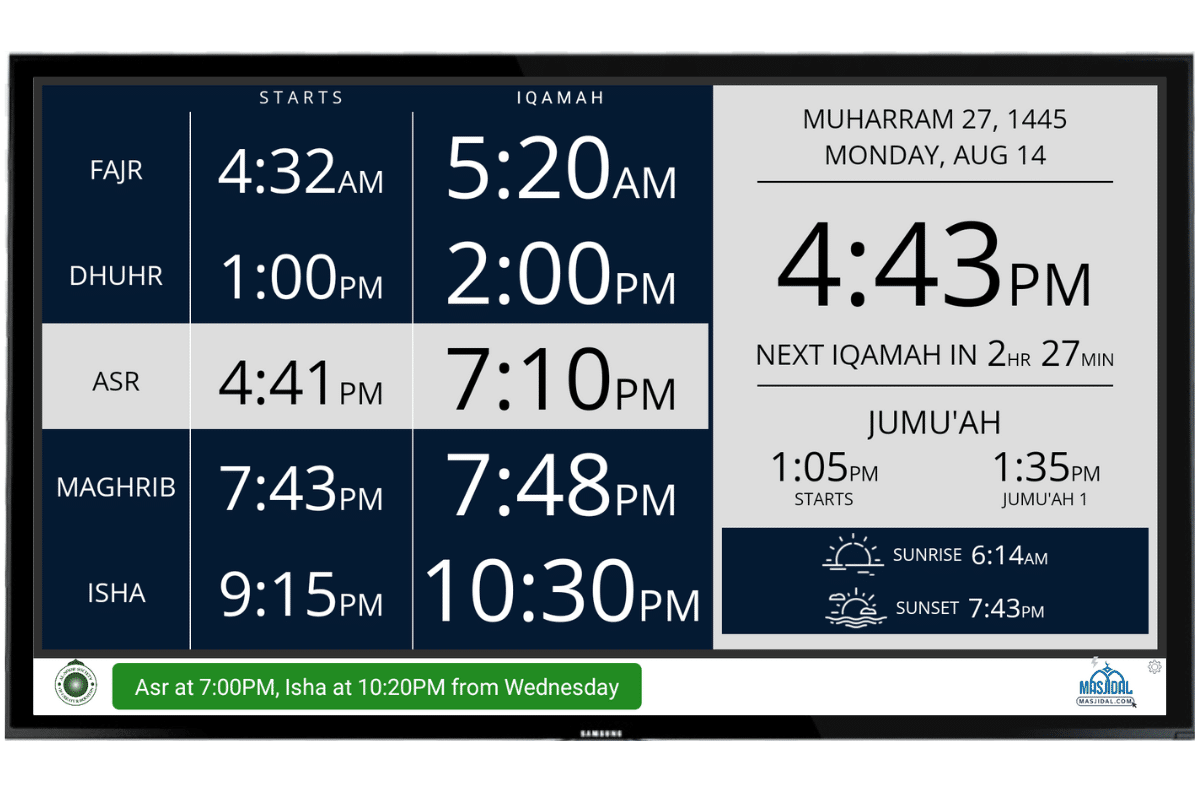
If Fajr, Dhuhr, Asr or Isha Iqamah is changing within 3 days, a scrolling message at the bottom of the timing screen will be displayed:

Full / Split Screen Notification (Premium Feature)
*Subscription needed to enable this feature. Start your 15-day free trial now.
Instead of a scrolling message, you can select an option to display the Iqamah change notification in full or split screen. This option is more noticeable and easier to read from a distance.


This option is set in the Al-Iqamah app at the device level (device connected to the TV) so that different devices on your account can display this notification differently.
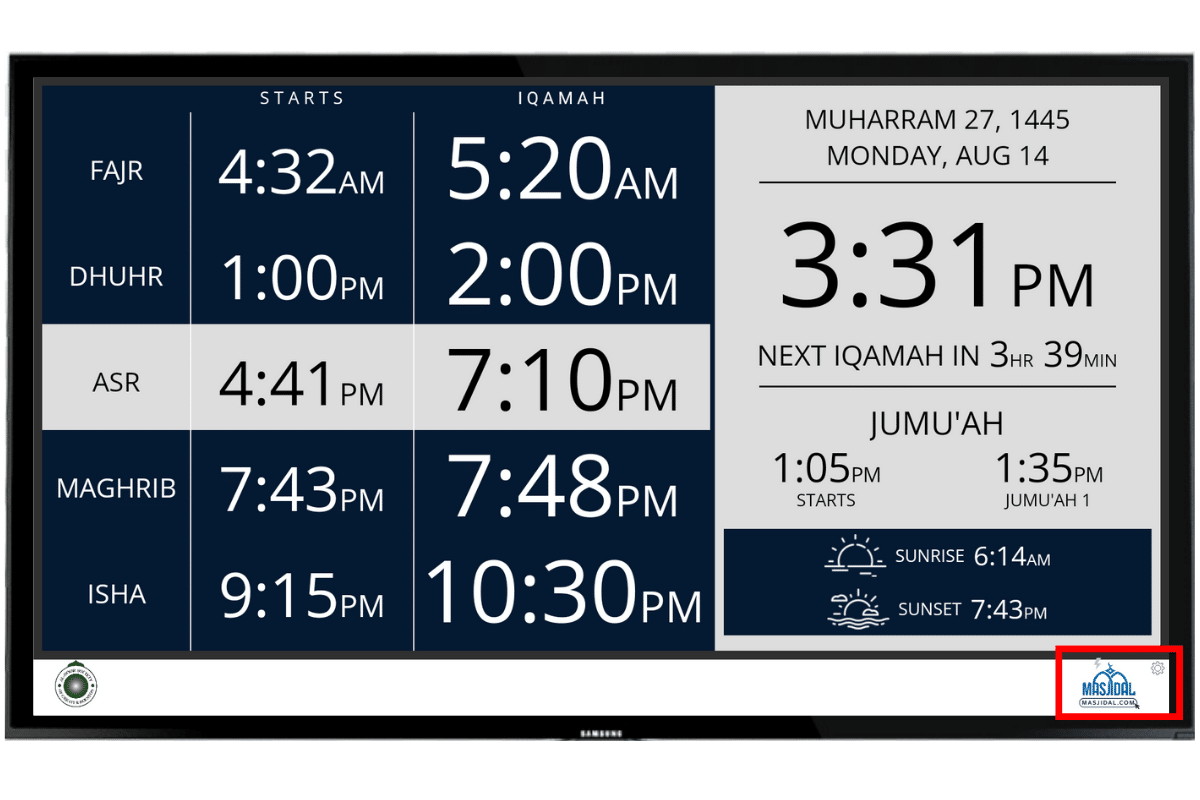
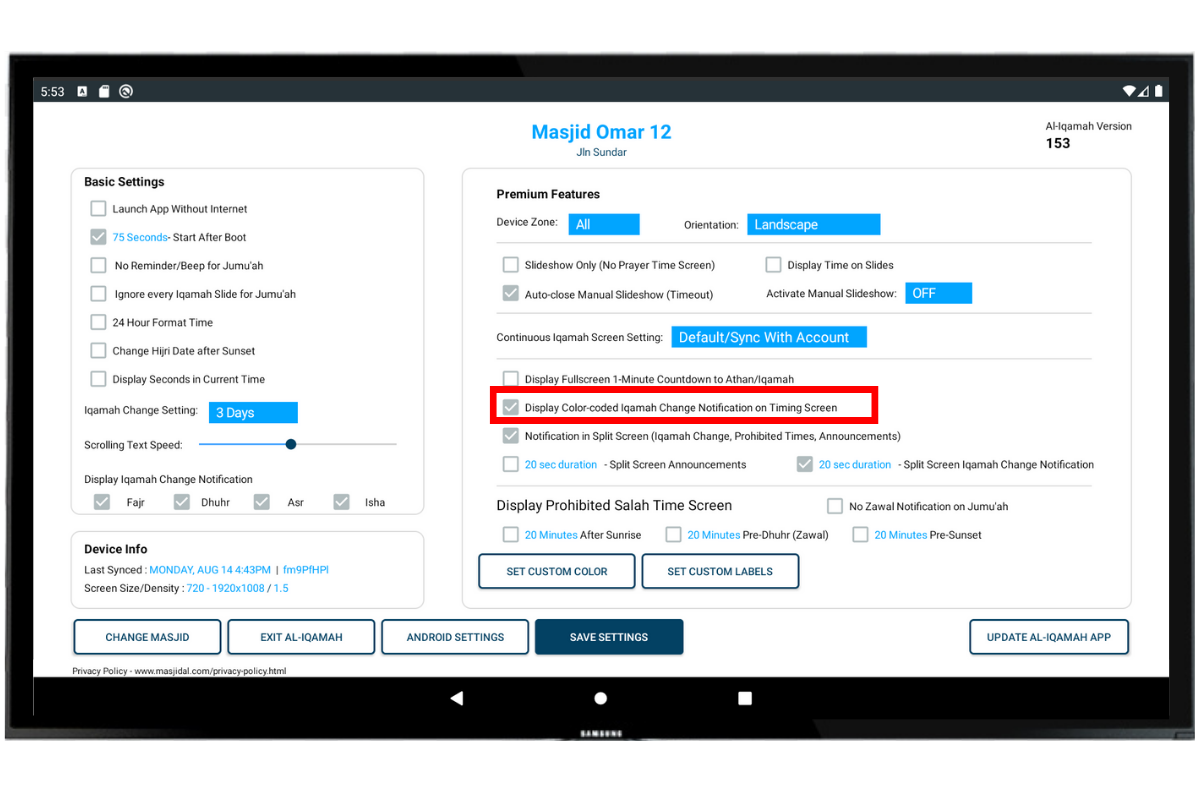
To activate this setting, click on the Masjidal logo (bottom right) on the timing screen. Easiest way to click is using a USB mouse connected to the device. The setting screen in the app will open.
Click the checkbox “Fullscreen Iqamah Change Notification” and enter the duration in seconds.
SPLIT SCREEN: Click on the checkbox “Notification in Split Screen” to display all announcements and Iqamah change notifications in split screen (screen with timings).
Click “SAVE” button to save the settings.


That’s it, the Iqamah change should be displayed in full or split screen for this device.
NEW – Color Coded Notification (Premium Feature)
*Subscription needed to enable this feature. Start your 15-day free trial now.
In addition to the Full or Split screen Iqamah change notification, you can also display a color coded notification on the timing screen so that the notification is constantly displayed.
The notification will be blue if the Iqamah time is changing in 3 days, green if its changing in 2 days and red if its changing the next day.
To activate it, simply click on the Masjidal logo (bottom right) on the timing screen and check the box to “Display Color-coded Iqamah Change Notification on Timing Screen”. Click the Save button.
Please note that this is a newly released feature. If you don’t see this option, please update Al-Iqamah to the latest version.
Quick Tip: Optionally, you can also change the number of days that the Iqamah check should be done for (1, 2 or 3 days). And you can stop Iqamah change notifications for specific Iqamahs by simply unchecking the box for that Iqamah.