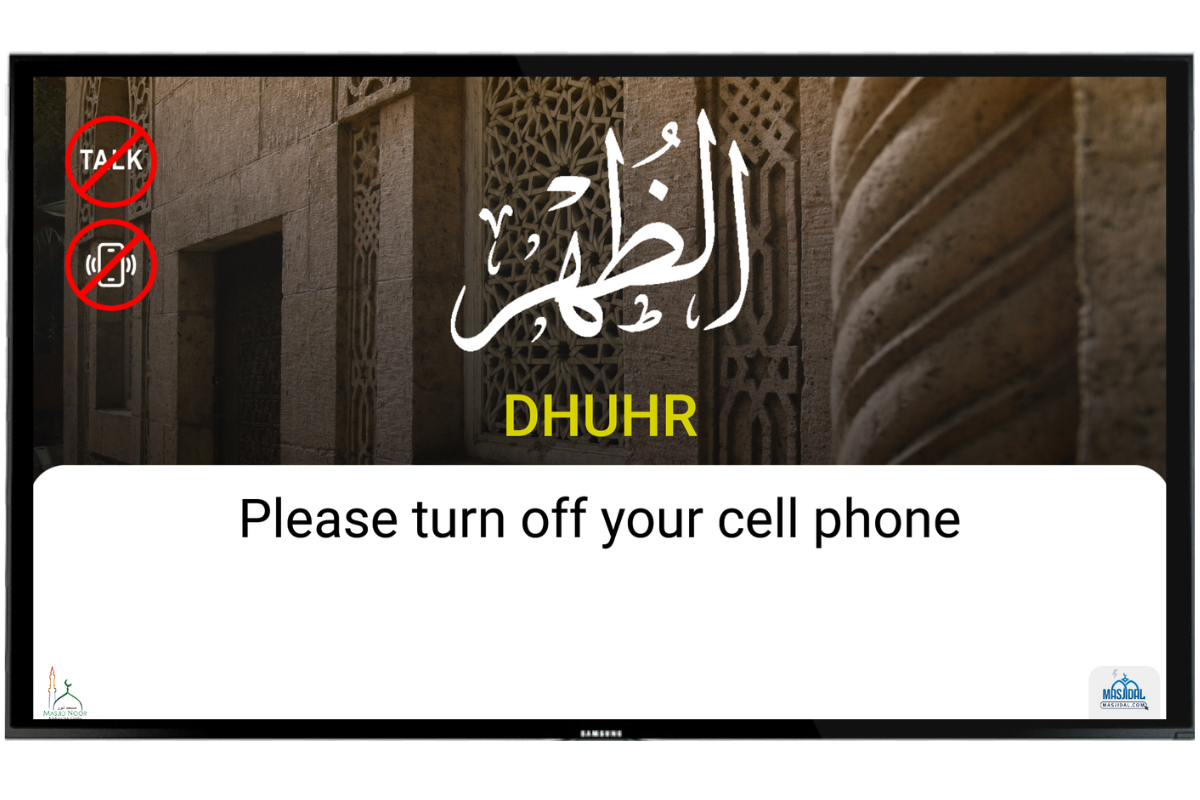
Reminder at Iqamah Time
A reminder screen with your custom message can be displayed at every Iqamah time. The purpose of this screen is to remind everyone to turn off their cell phones during the Jamaat time.
Click on the Al-Iqamah link on the left navigation bar.
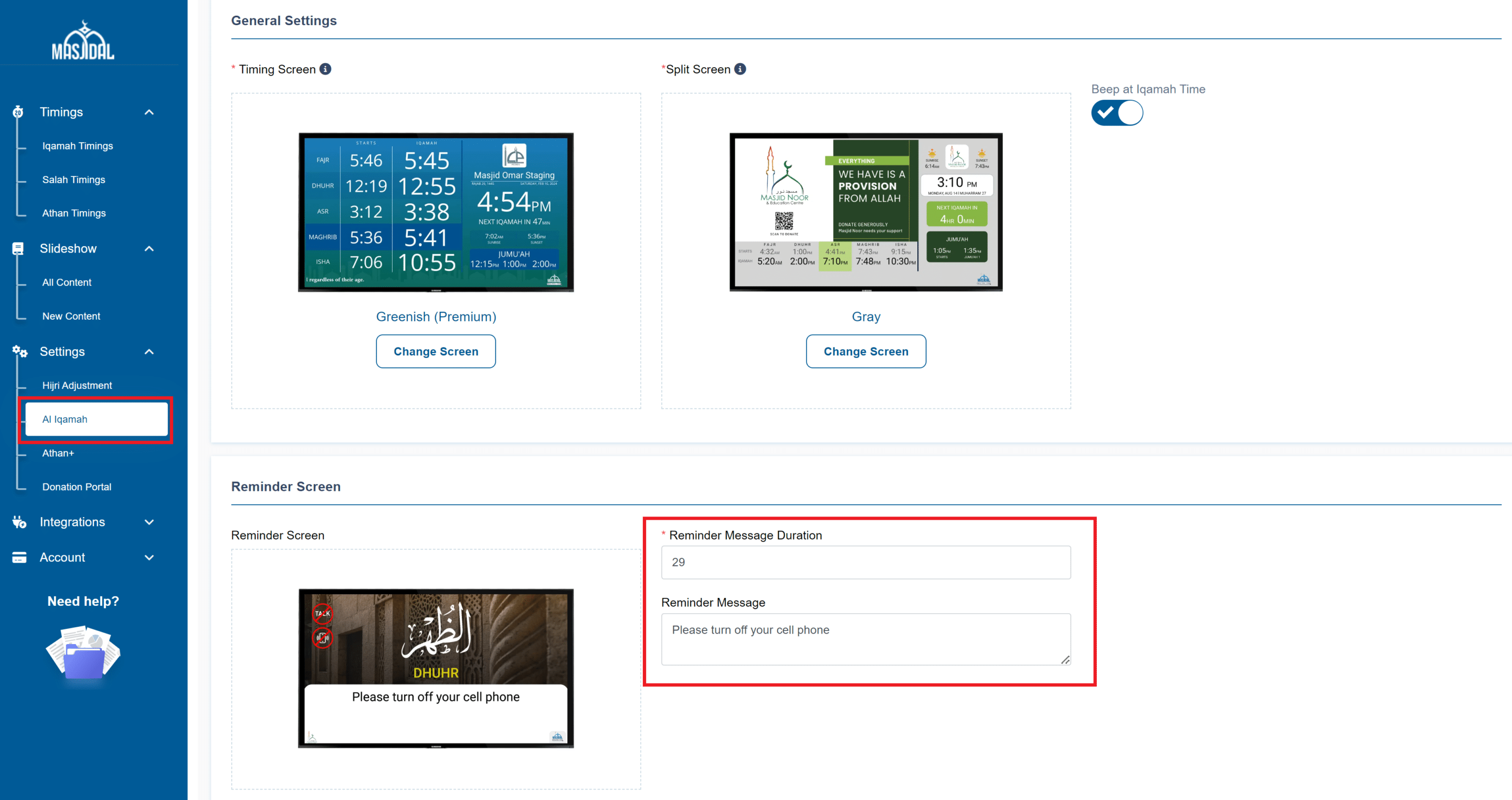
On this page, enter your message in the Reminder Message box. Best practise is to keep it short and direct to the point.
If needed, update the duration in the Reminder Message Duration.
NOTE: To deactivate the reminder screen for all TVs, enter 0 as the duration.
Click on the Save button to save the changes.
Reminder Screen at Jumu’ah Iqamah Times
The reminder screen is active for Jumu’ah as well. If needed, you can be deactivated on the specific device (screen) for Jumu’ah.
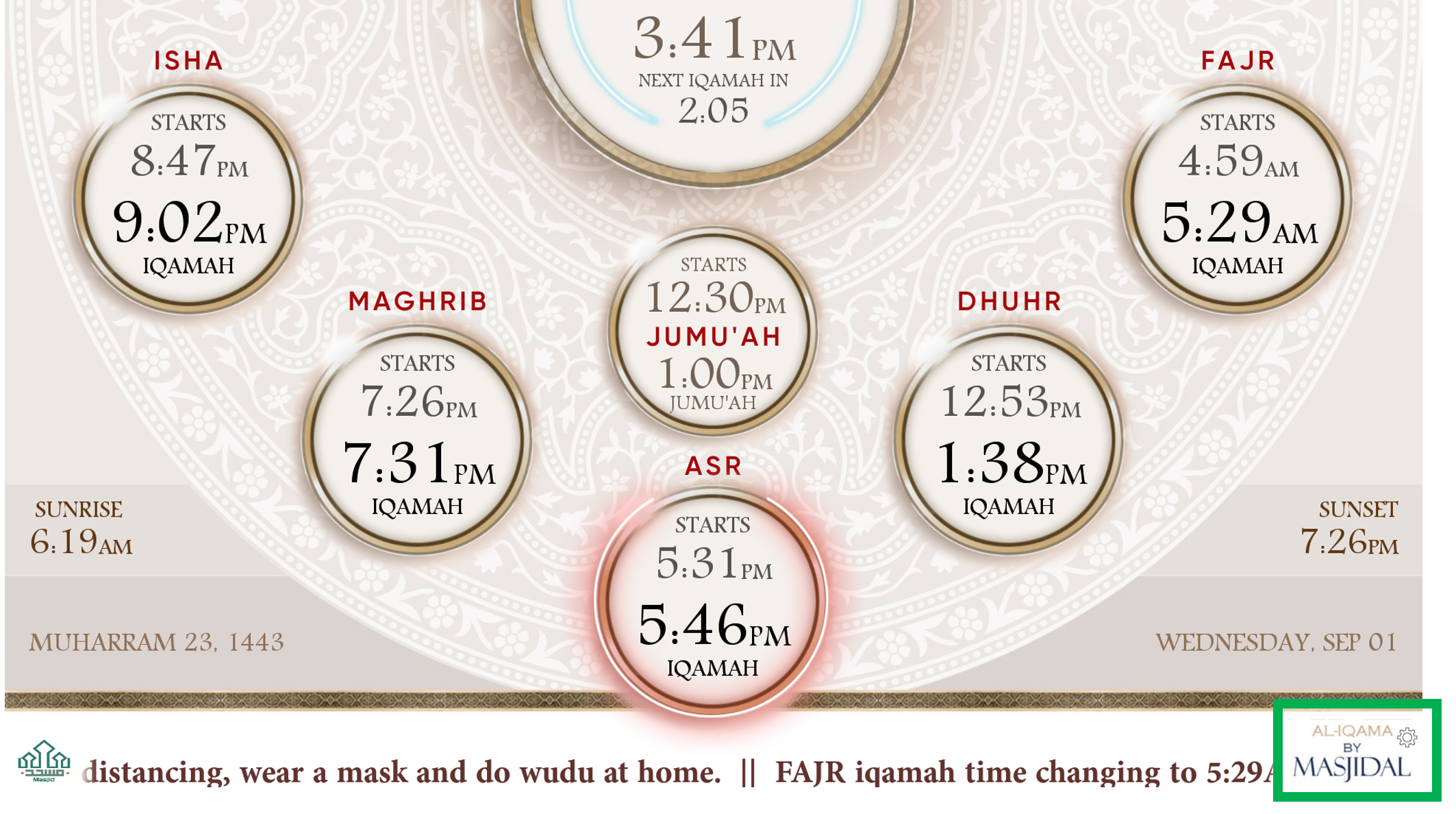
Click on the Masjidal logo on the screen to access the device settings screen:
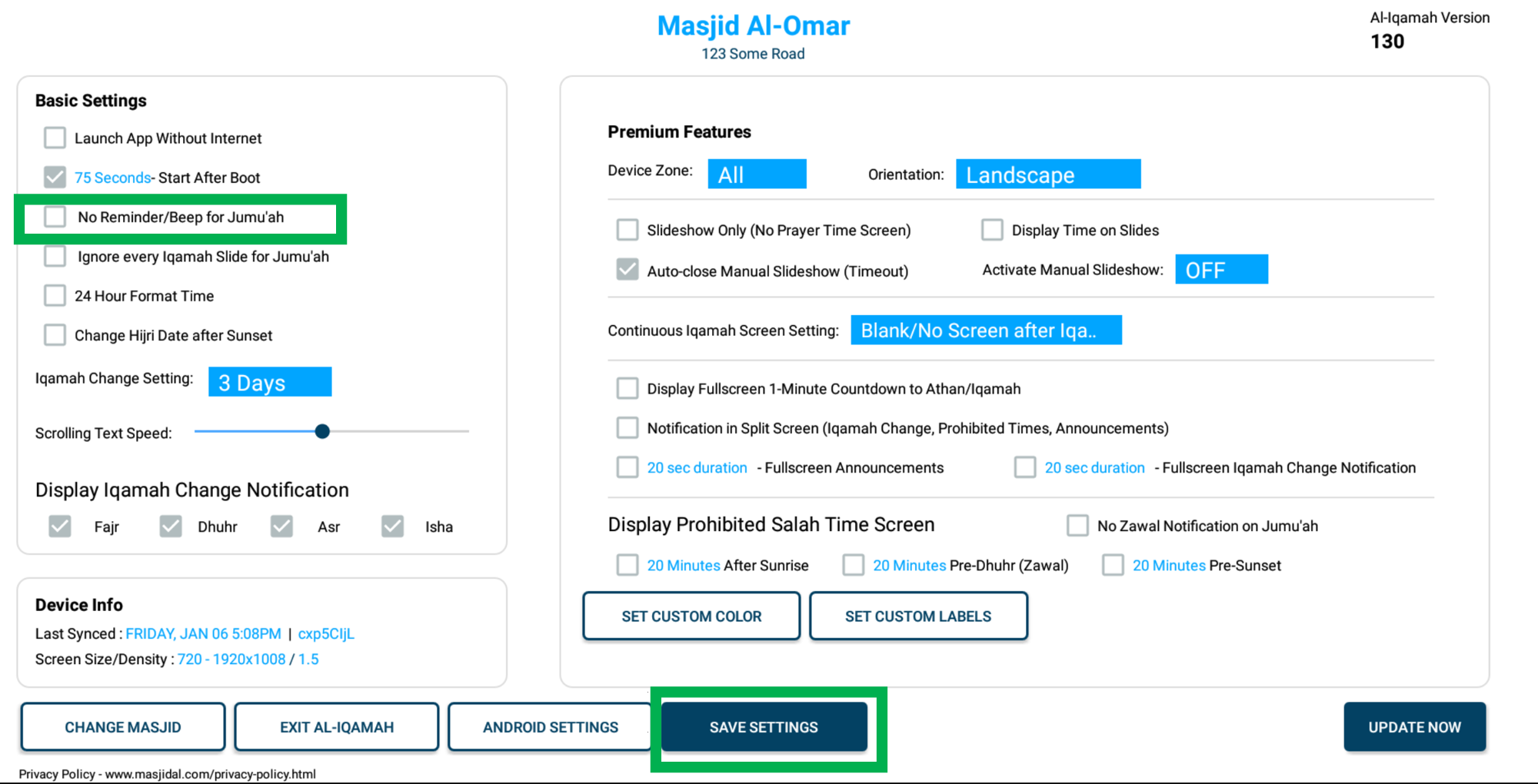
Select the checkbox for “No Reminder/Beep for Jumu’ah” to deactivate the reminder screen during Jumu’ah time.
Click on the Save Settings button to save the setting.