
Stripe Integration
To accept donations, your organization will need a Stripe account. If you don’t already have one, you can sign up at stripe.com.
You’ll also need to upgrade your Masjidal account to the Ultimate plan to access the donation features.
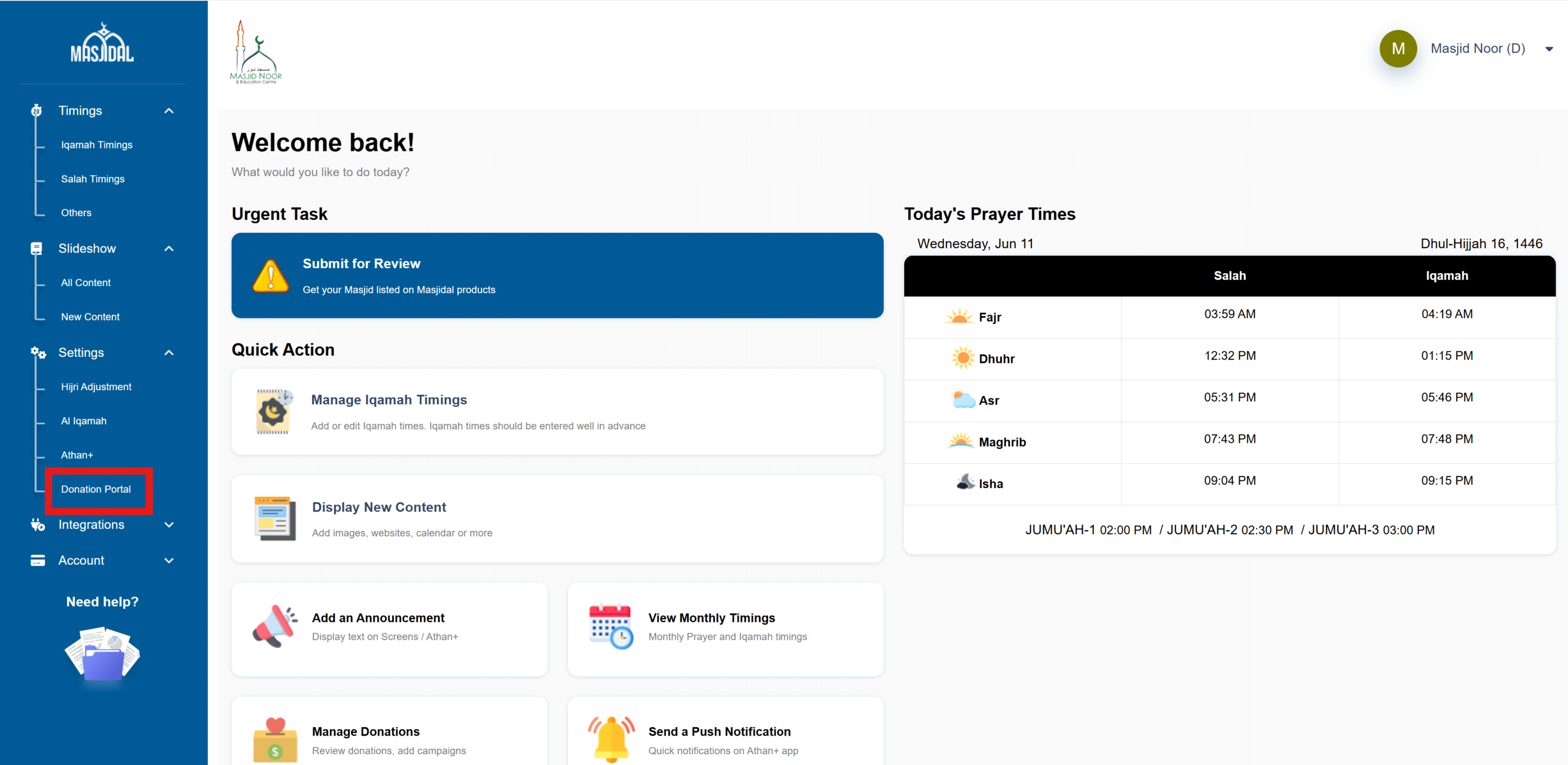
From your Masjidal account, click on the Donation Portal link:
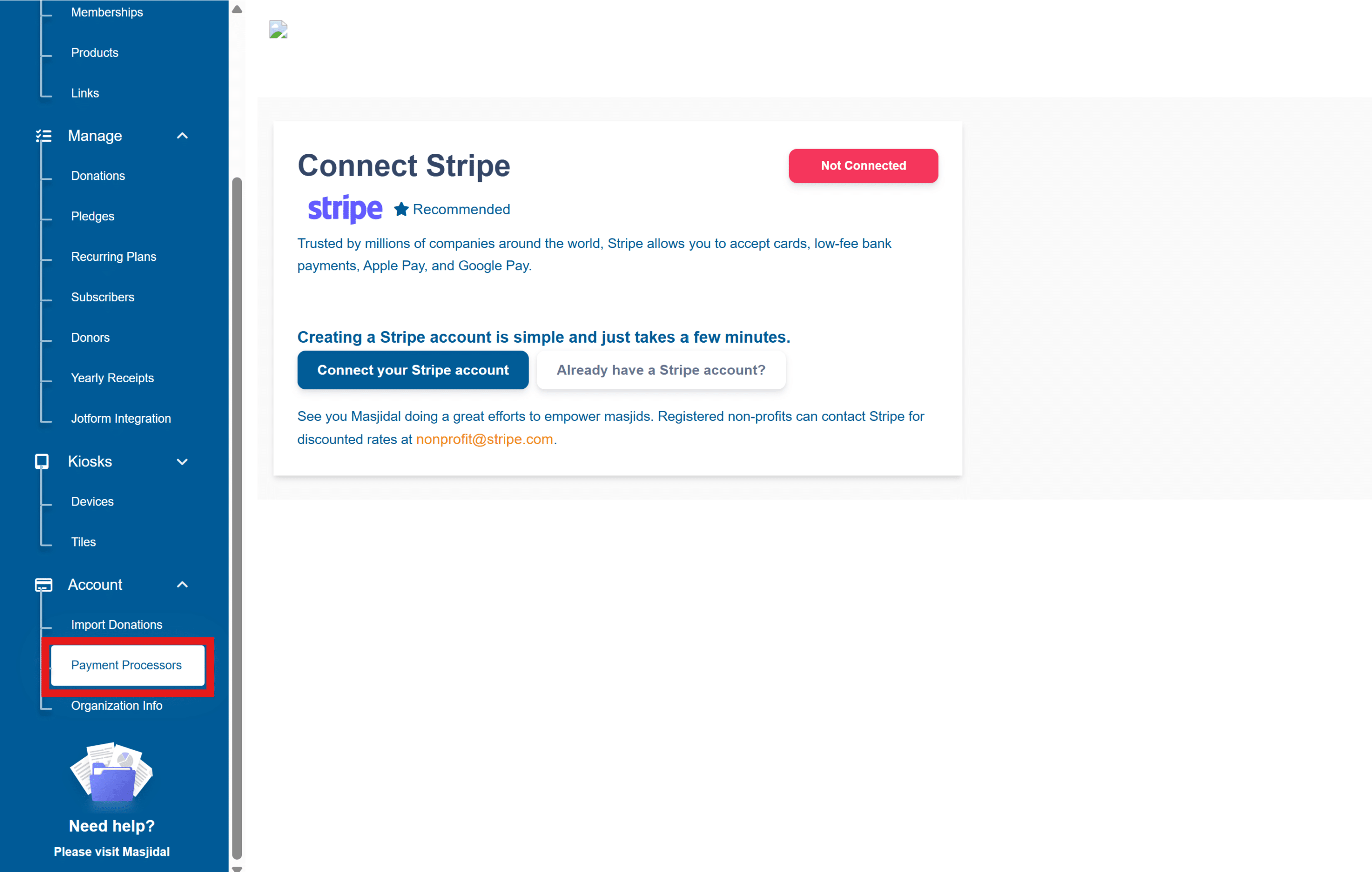
Click on the Accounts -> Payment Processors:
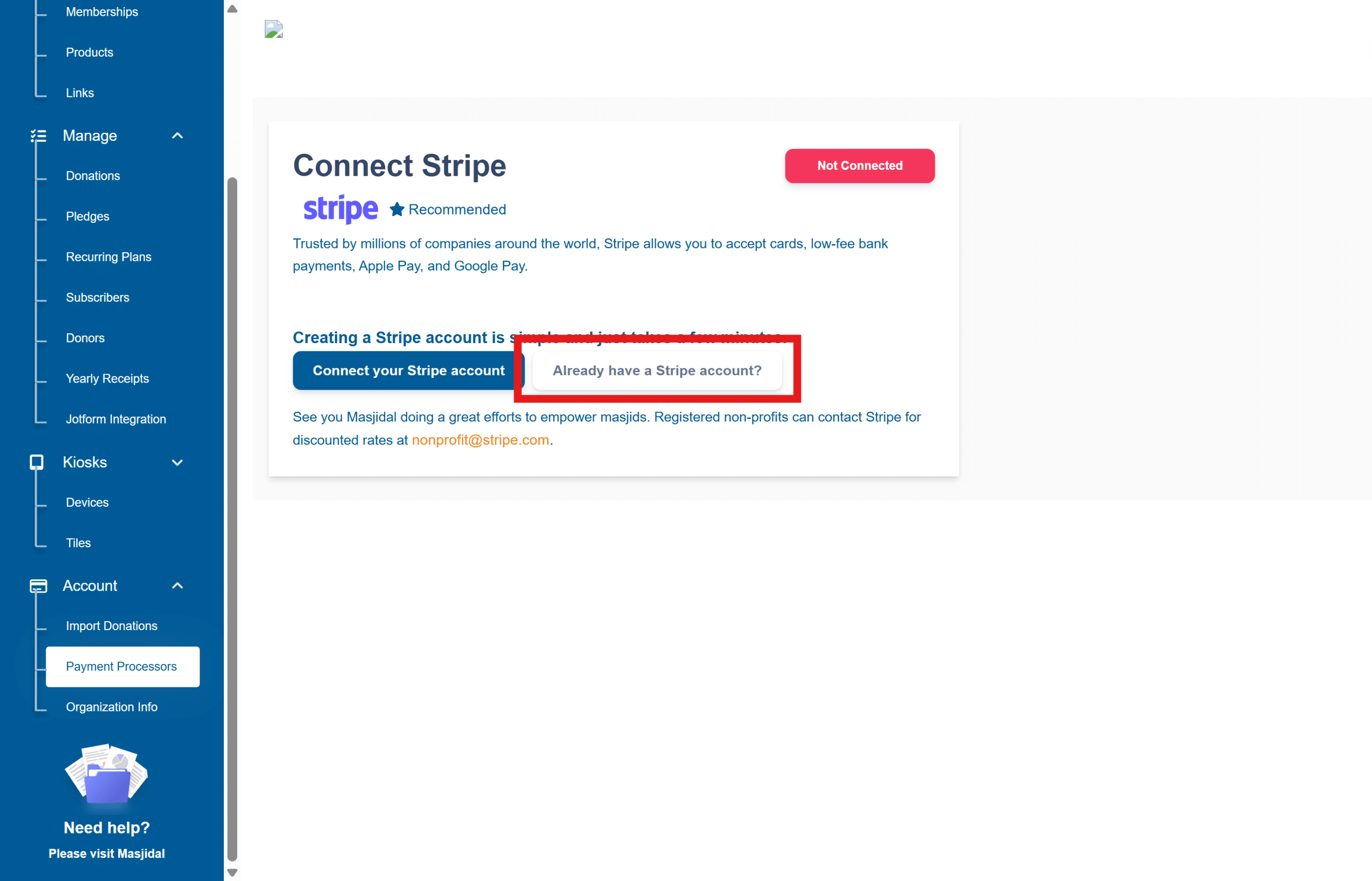
Click on Already have a Stripe account button (white one).
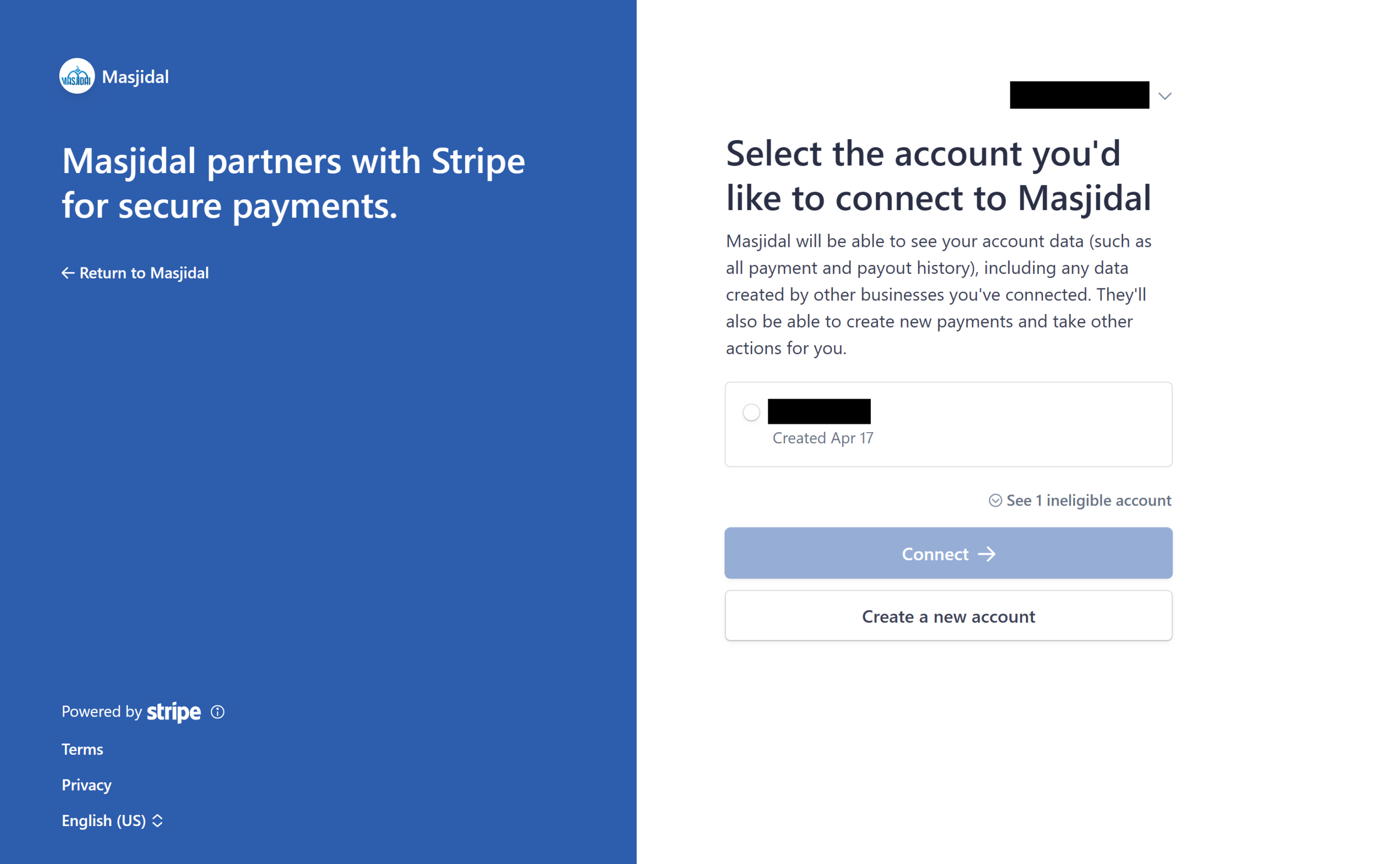
Select or sign in to your Stripe account and then click on Connect button. It’s important to use the same Stripe credentials that you used to create the Stripe account.
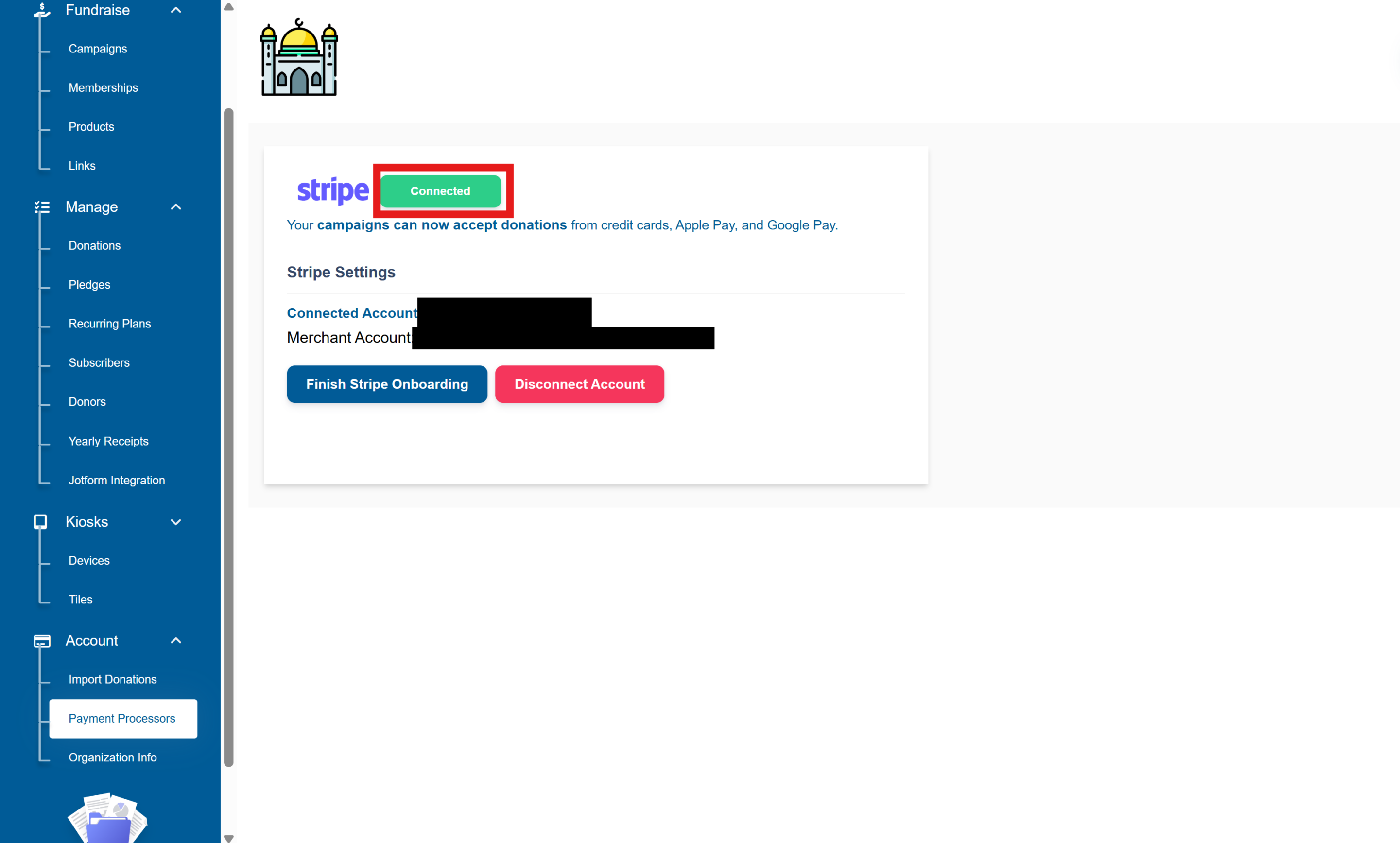
You should see the status of Connected on your Masjidal Donation Portal.
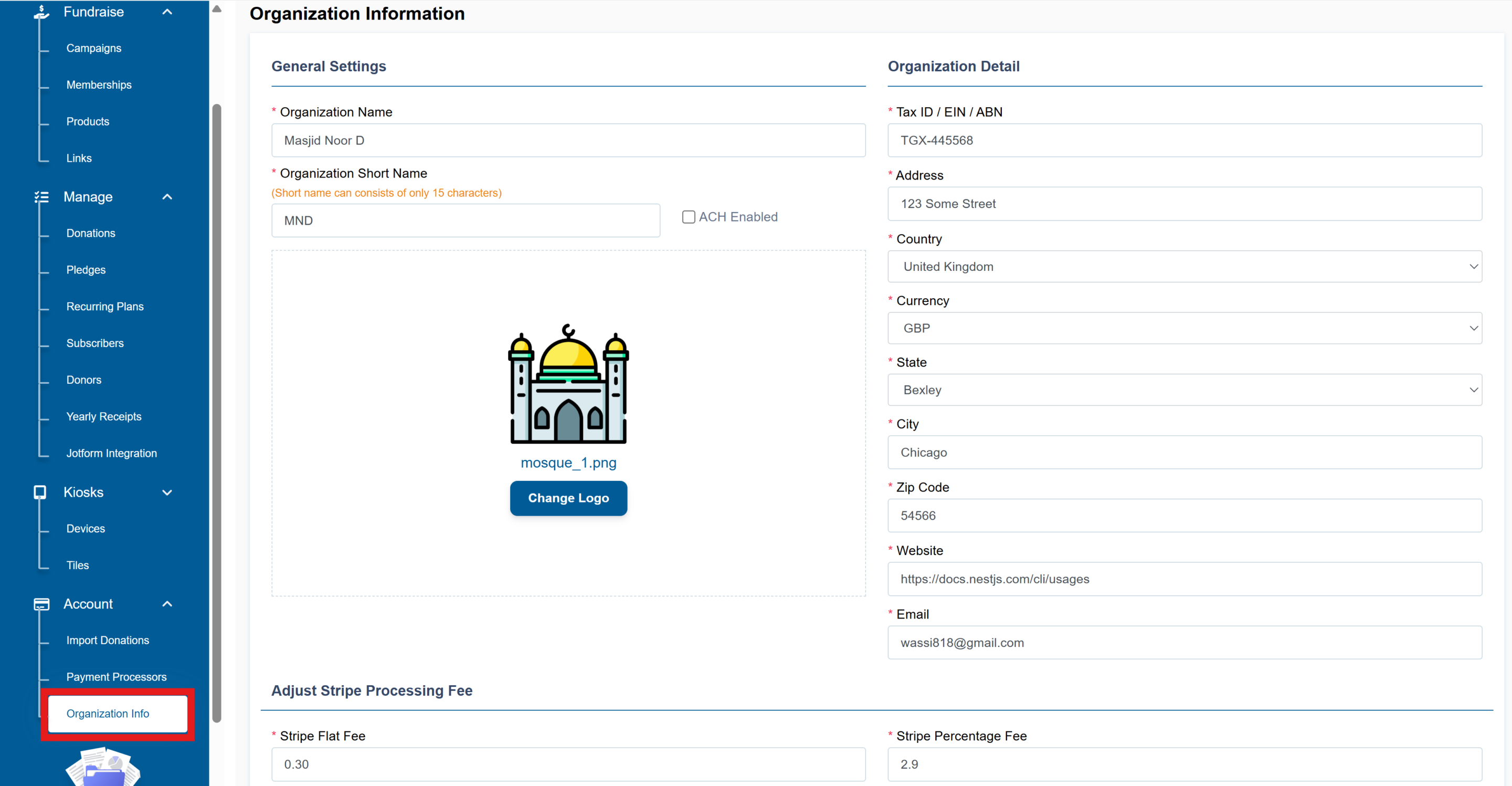
Next, click on the Organization Info, fill in all the required fields and then click the Save button:
And that’s it, you are all set. Send an email to the Masjidal team at masjidsupport@masjidal.com to let them know that you have completed the integration. The Masjidal team will setup a couple of campaigns for you to match you branding colors.