
Taraweeh Recitation Schedule
Taraweeh recitation schedule is designed to help your congregants follow what’s being recited during the Taraweeh. It encourages them to read the Quran and translation.
Paid subscription is needed for this feature.
To display your Taraweeh recitation schedule, follow these 3 steps.
STEP 1: Update your Al-Iqamah app to the latest version (Signage Players – version 602 or higher, Amazon – Version 207 or higher, Google Playstore – Version 405 or higher. If you are not on the correct version, this will not work correctly.
STEP 2: You will need to create the schedule for the whole month of Ramadan (or till that last day of Taraweeh if it ends before the end of Ramadan). The schedule is created as a Google slide giving you the most flexibility in managing the schedule.
To make it easy, we have created a template for you. Simply copy this template to your own Slide.
Click here to access the template
Click on File -> Make a copy -> Entire Presentation:
*Subscription needed to enable this feature. Start your 15-day free trial now.
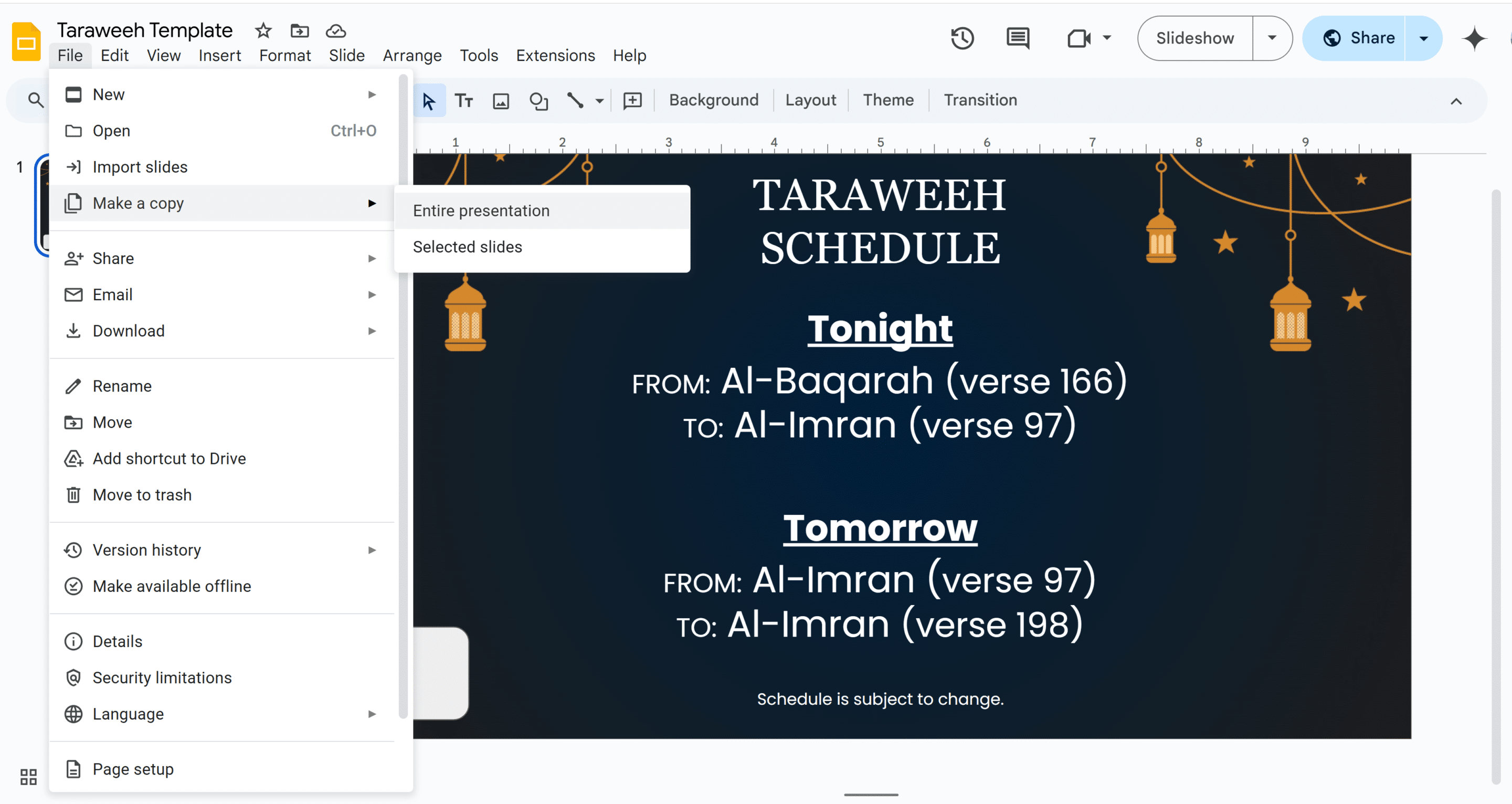
Add your masjid logo on the bottom left. If you dont want to add a logo, simply delete the white box on the bottom left.
Update the Surah name and verse on the Tonight section. Next update the Surah name and verse on the Tomorrow section.
Right click on the slide on the left panel and click on duplicate slide:
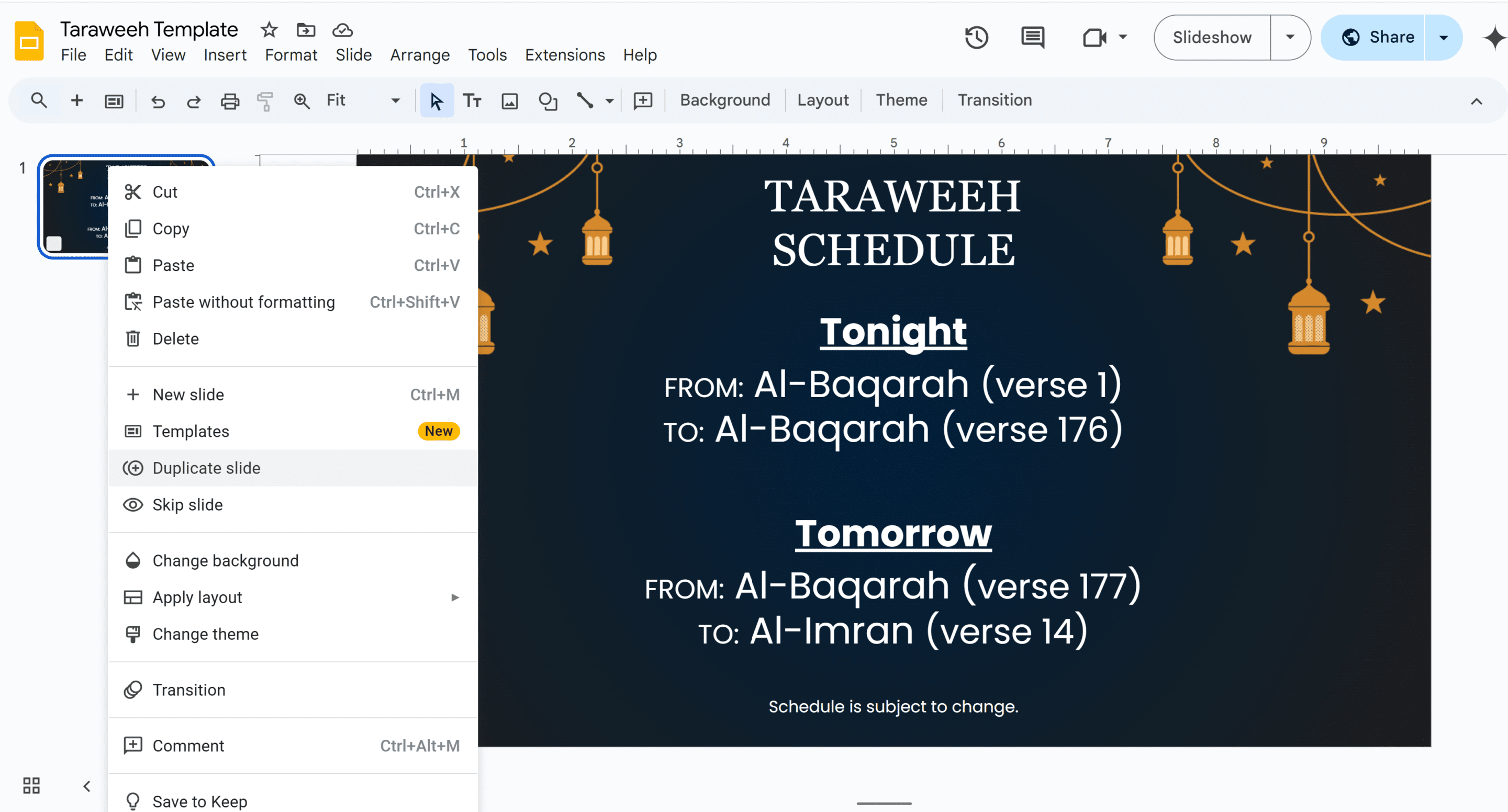
Update Slide 2 with the Surah name and verse on the Tonight section. Next update the Surah name and verse on the Tomorrow section.
Right click on the slide 2 on the left panel and click on duplicate slide. Continue this till the completion of the Quran.
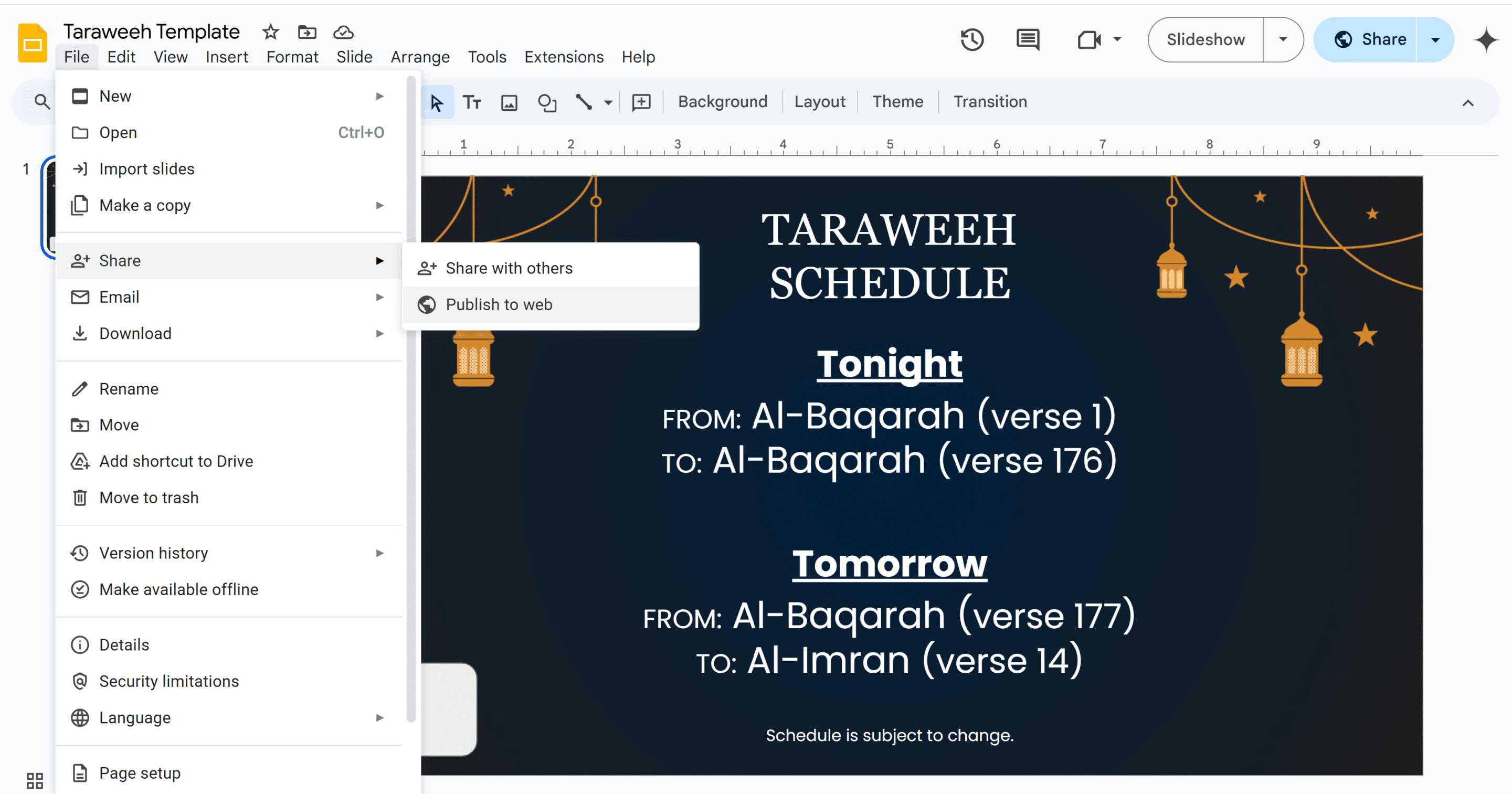
Click on File -> Share -> Publish to web:
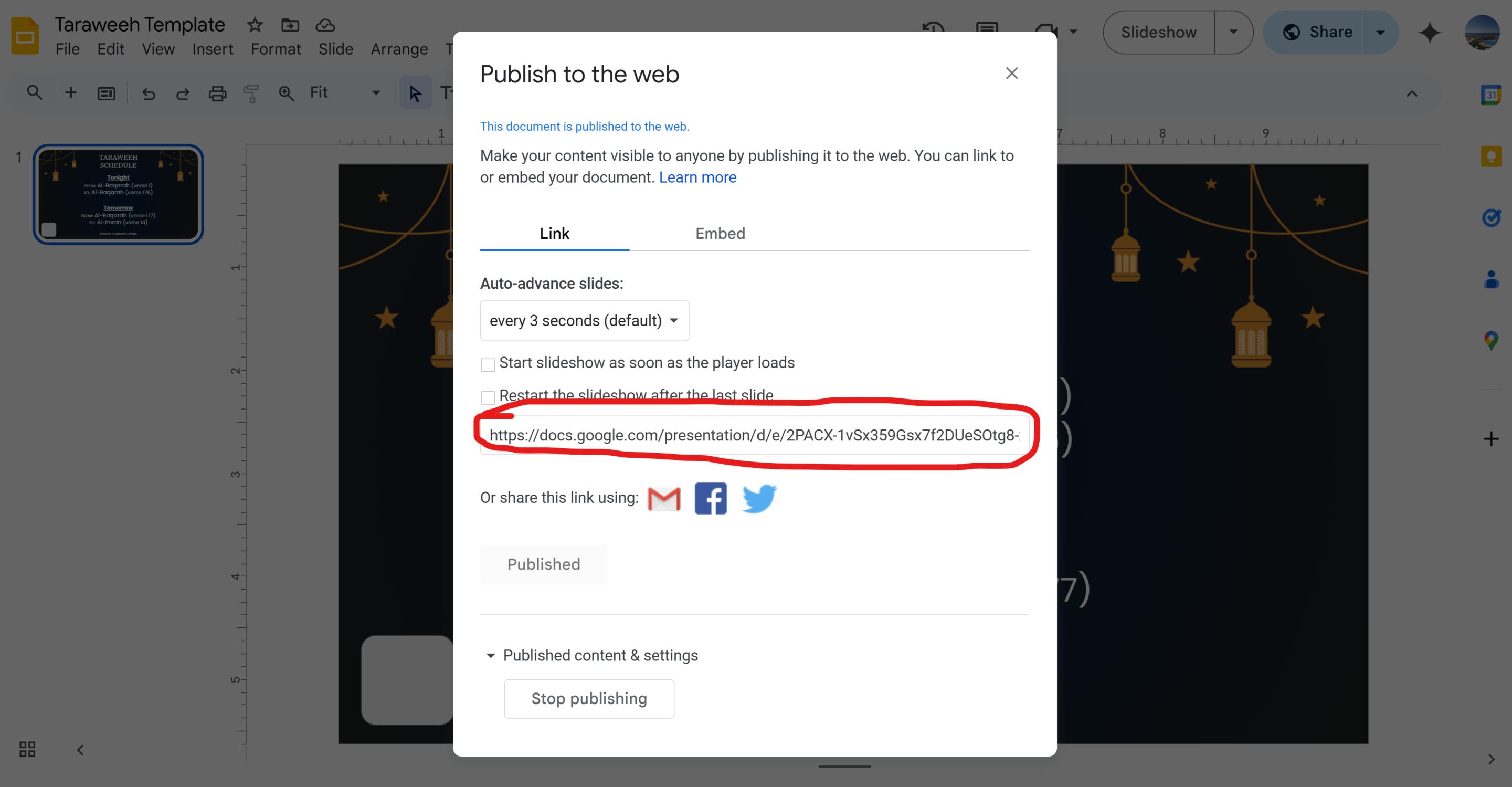
Leave everything as default, don’t check any boxes. Simply copy the link:
STEP 3: On your Masjidal account, click on New Content:
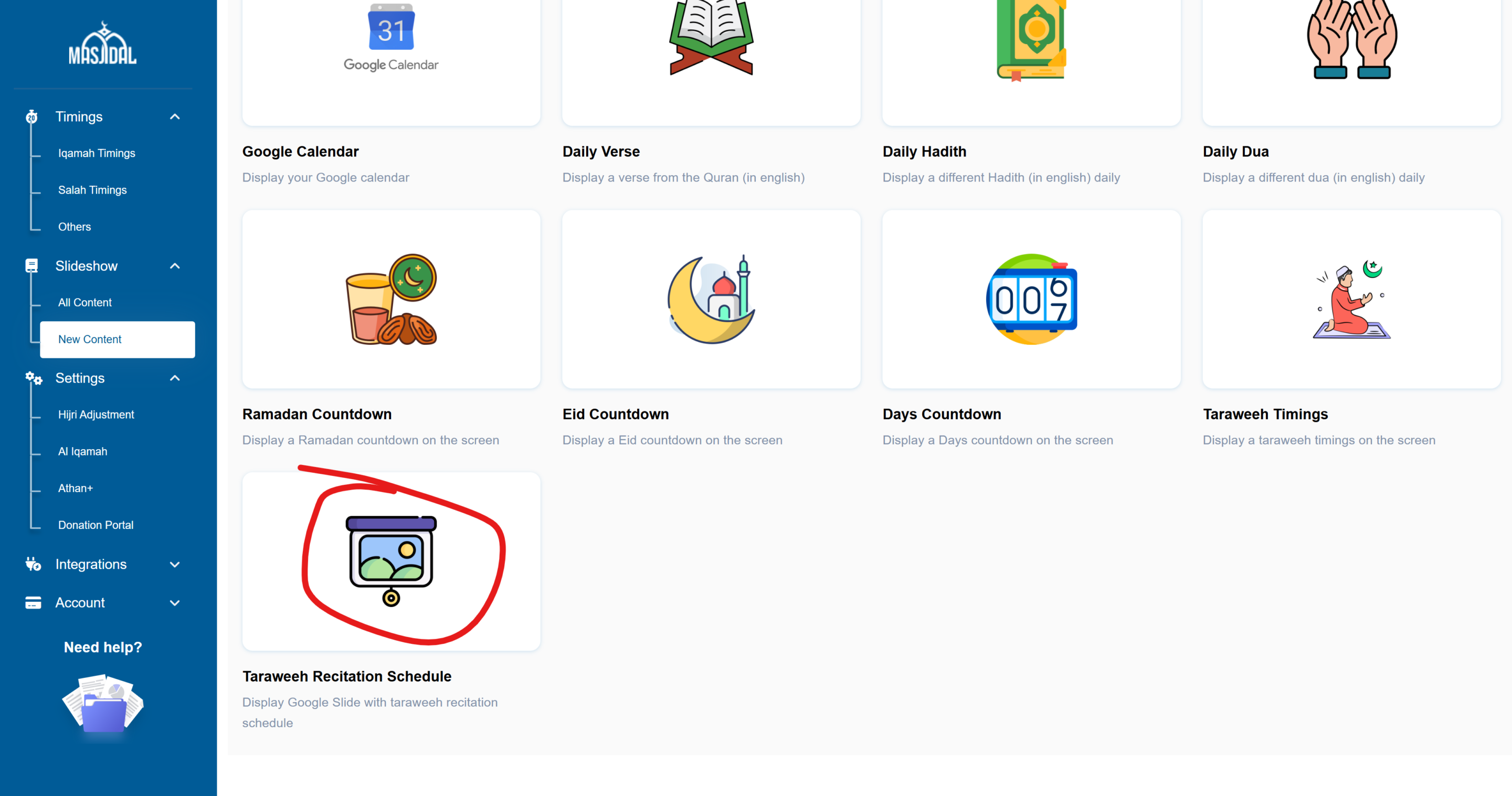
Paste the Google Slide URL from the previous step, select Split Screen if you want to show this in split screen and the select the correct zone if applicable. Then update the schedule section as needed. The start date should be the 1st night of Taraweeh and the end date should be the night of completion. This way, it will only be displayed during those days. Update the time based on your Taraweeh timings. Click Save and that’s it!
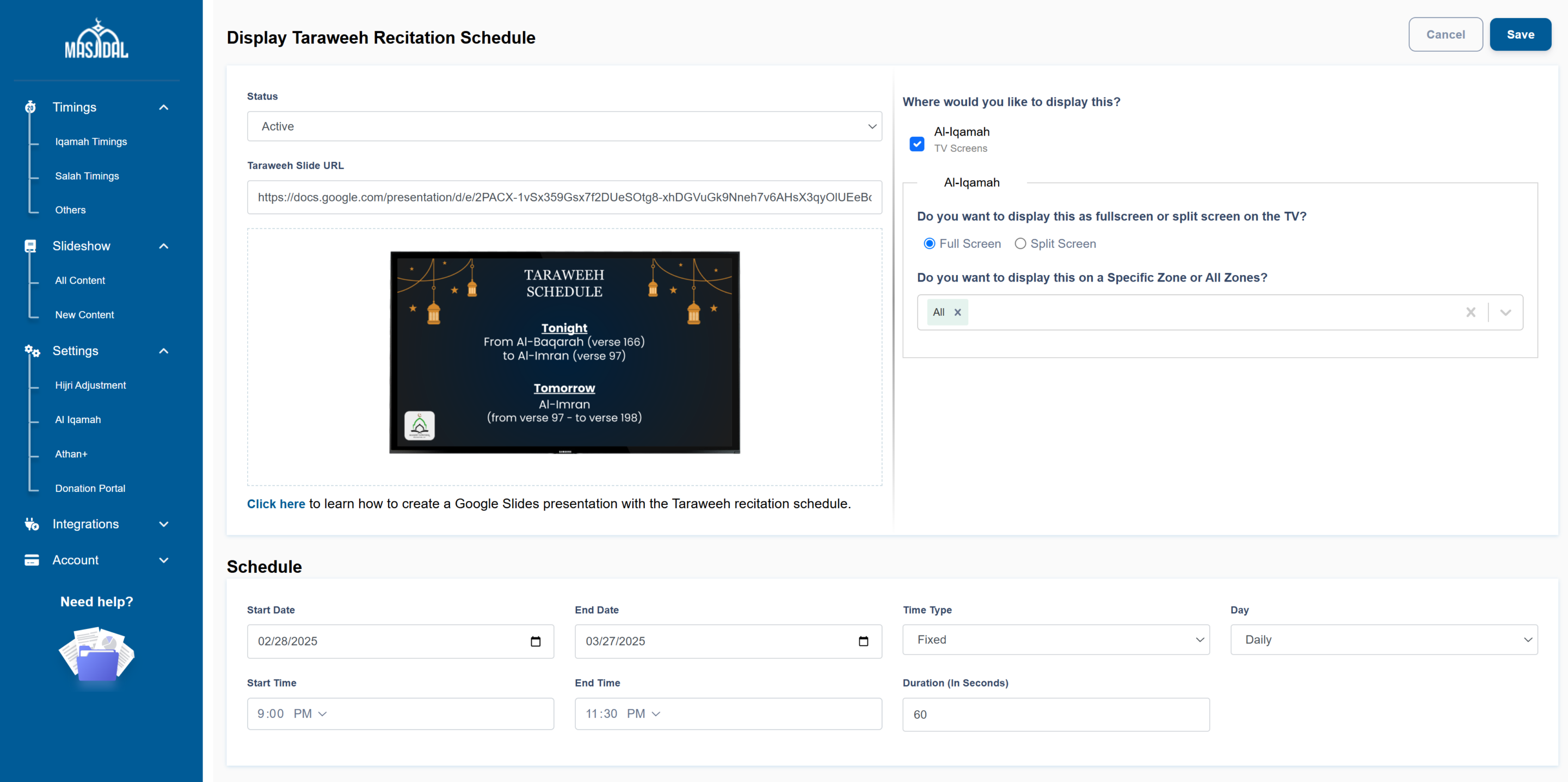
Slide will be displayed on the Day of Ramadan. For example, in Shaban (first day of Taraweeh, it will show the first slide. On Ramadan 1, it will show Slide 2 and so on. Please make sure that the slides are in the correct order.